.svg)
.png?width=600&height=350&name=InsightHive%20banners%20(22).png)

The Difference Between BI Analytics and AI Analytics

InsightHive
What Analytics Looked Like Before And What AI-Powered Analytics Look Like Now.
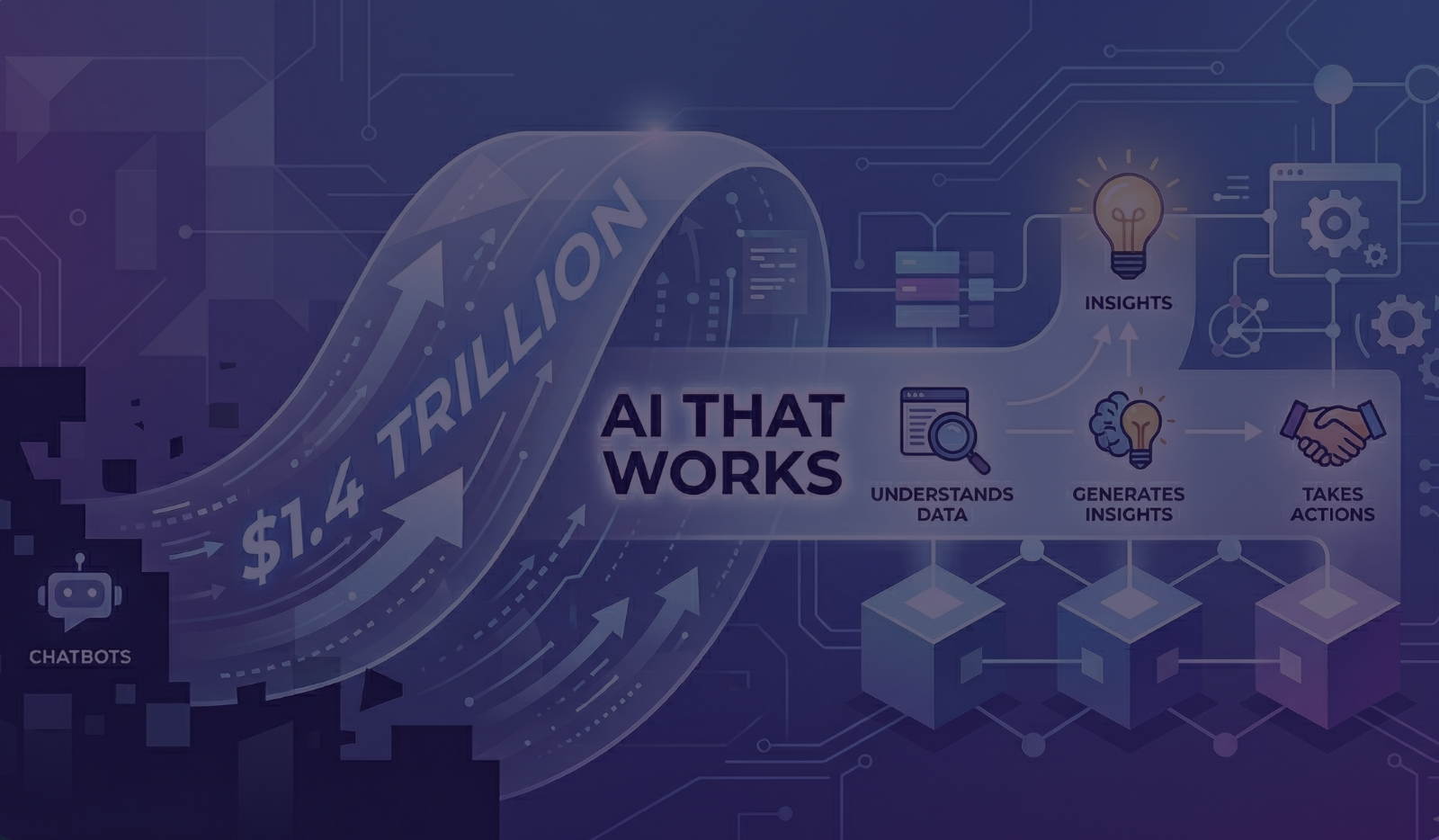
The primary difference between AI-powered analytics and traditional BI (the Modern Data Stack) is that while BI focuses on passive visibility and manual data interpretation, AI-powered analytics uses agentic reasoning to move directly from intent to automated action and execution.
What We Used to Do for Customers (The Modern Data Stack)
The Modern Data Stack Had a Great Run. AI Is What Comes Next. In his recent post, Jim Eberlin explained why the shift is happening. Now we're talking about what that shift looks like in real InsightHive customer use cases. It’s not theory. Not roadmaps. It’s real.
When customers wanted analytics inside their product, the setup was familiar. First, we centralized structured data from systems like Salesforce, product databases, billing platforms, and support tools. Data landed in a warehouse with clean tables and defined schemas.
Then came the heavy lift: defining metrics and rules. Analysts and data teams built alerts on explicit conditions, like “If stage = X and days open > Y, flag it.” Every new question meant new logic, new dashboards, and new edge cases.
Finally, we built dashboards as the interface. If a user wanted to know “What should I focus on today?” or “Which deals are at risk?”, they had to know which dashboard to open, apply the right filters, and interpret the results themselves. Insights stopped at the visualization. Follow-ups were manual. Context ended at the meeting. AI couldn’t really participate because the stack was built for humans to consume, not machines to reason over.
What We’re Doing Now With Real InsightHive Customers
Today, implementations start from a different assumption: The user doesn’t want dashboards. They want answers, priorities, and action. Let's walk through how we used to do analytics, and what our customers are experiencing now with AI-driven analytics and agents.
Here’s the before and after.
- Use Case 1: “What Are My Top Priorities?”
- In a recent discussion with an InsightHive customer, the user expressed a simple intent: “What are my top priorities?” No filters. No need for predefined rules. InsightHive understood the business (sales automation) and the user’s role (sales). It reasoned about what mattered to this user.
InsightHive queried opportunities, products, contacts, milestones, and activities, then evaluated health and criticality, identified red flags, and synthesized everything into a ranked set of priorities. The key difference: InsightHive reasons about intent, not conditions.
- In a recent discussion with an InsightHive customer, the user expressed a simple intent: “What are my top priorities?” No filters. No need for predefined rules. InsightHive understood the business (sales automation) and the user’s role (sales). It reasoned about what mattered to this user.
- Use Case 2: Replacing Rule-Based Alerts With AI Reasoning.
- In the modern stack, priorities looked like: “If opportunity value > X” or “If close date slips.” With InsightHive, customers aren’t maintaining rules.
The AI determines what data to query, joins and deduplicates results, maintains context across steps, and adapts as conditions change. The user doesn’t tell the system how to decide, only what they’re trying to accomplish.
- In the modern stack, priorities looked like: “If opportunity value > X” or “If close date slips.” With InsightHive, customers aren’t maintaining rules.
- Use Case 3: Combining Structured and Unstructured Data.
- This is one of the biggest breaks from the modern stack. In one use case, we provide prioritized tasks and audits to users by combining Salesforce data, Jira tickets, Zoom or meeting transcripts, and Slack conversations.
Meeting transcripts are converted into structured summaries, action items are extracted, risks are identified, and tasks are automatically created. This was essentially impossible in the old model.
- This is one of the biggest breaks from the modern stack. In one use case, we provide prioritized tasks and audits to users by combining Salesforce data, Jira tickets, Zoom or meeting transcripts, and Slack conversations.
- Use Case 4: From Insight to Action (Automatically).
- In customer implementation today, daily priority summaries are emailed to teams automatically, and updates are posted directly to Slack.
Previously, teams had to log into dashboards, determine priorities, and manually send updates. Now, analytics don’t stop at showing results. They initiate action.
- In customer implementation today, daily priority summaries are emailed to teams automatically, and updates are posted directly to Slack.
What Changed Under the Hood
The real shift isn’t visualization, it’s transformation and meaning. InsightHive uses an agentic workflow that selects the right datasets and tools, runs queries in parallel, maintains context across steps, and supports interactive and background execution. This is what allows AI to reason over data instead of just display it.
The Practical Difference: Visibility vs. Execution
The modern data stack helped leaders see the business. What InsigthHive delivers now helps the business decide, prioritize, and act. The old way solved visibility. The new way adds execution. This isn’t about replacing dashboards. It’s about moving analytics into the flow of work.
The modern data stack helped us understand what happened. The post-modern, AI-first data stack helps determine what should happen next and makes it happen. That’s what we’re seeing with InsightHive customers today.
Frequently Asked Questions (FAQ)
How does AI analytics differ from traditional BI dashboards?
Traditional BI (the Modern Data Stack) requires humans to define rules and interpret charts. AI analytics, like InsightHive, reasons about user intent to provide direct answers and ranked priorities rather than just static visualizations.
Can AI analytics handle unstructured data?
Yes. Unlike the old model which required structured tables and schemas, InsightHive combines structured data (CRM) with unstructured data (Zoom transcripts, Slack conversations, Jira tickets) to extract action items and identify risks.
Does AI analytics replace the need for manual data analysts?
AI analytics shifts the focus from manual logic building and dashboard maintenance to execution. It automates the process of querying, joining, and deduplicating data, allowing the system to initiate actions like sending Slack updates or emailing priority summaries automatically.
What is an agentic workflow in analytics?
An agentic workflow allows the AI to select datasets, run parallel queries, and maintain context across multiple steps. This enables the AI to "reason" over data to determine what should happen next, rather than just displaying what happened in the past.
Let's Connect
Is it time to discuss supercharging your SaaS platform with intelligent insights?